Integration analytics dashboard
A single live view of data moving between connected systems.
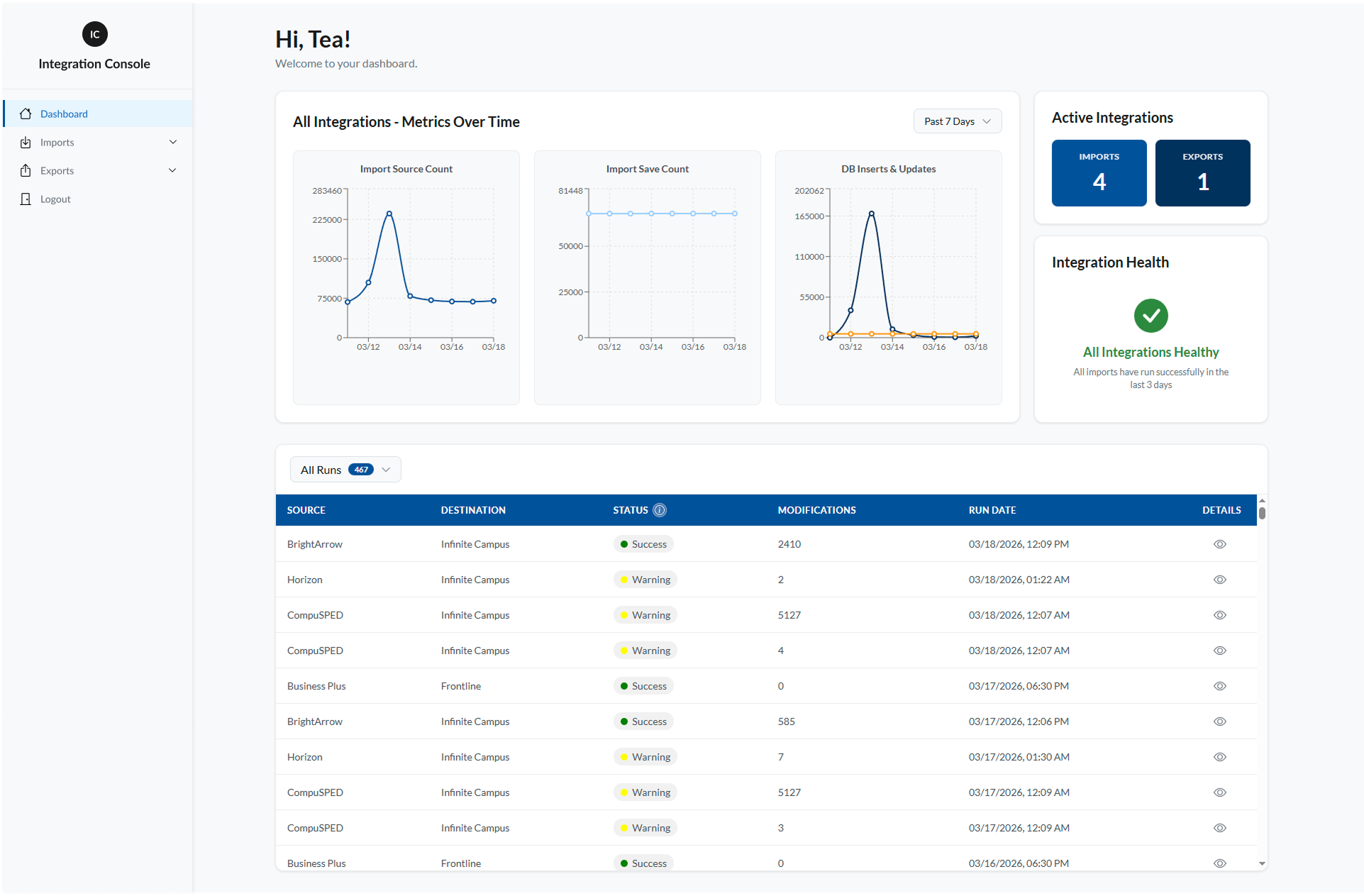
Tap the screenshot to see it full size
The problem
Failures went unnoticed for days.
6 integrationsfeeding the SIS every day, with nobody watching them
Scheduled tasks move staff and student data into the SIS every day, each pulling from a different system in a different way. They ran quietly on their own, so when one failed quietly too, stale or missing data could sit unnoticed for days before anyone caught it downstream.
What I built
A monitoring layer that never touches the data.
50+scheduled tasks now logging every run
A monitoring layer sits beside the integrations and makes their daily runs visible, without touching the data itself.
Each scheduled task logs its run: success or failure, and how many rows it moved. From that log, a morning email flags any warnings or failures so bad runs get caught first thing, and a dashboard shows every run's status, row counts, and a health check at a glance.
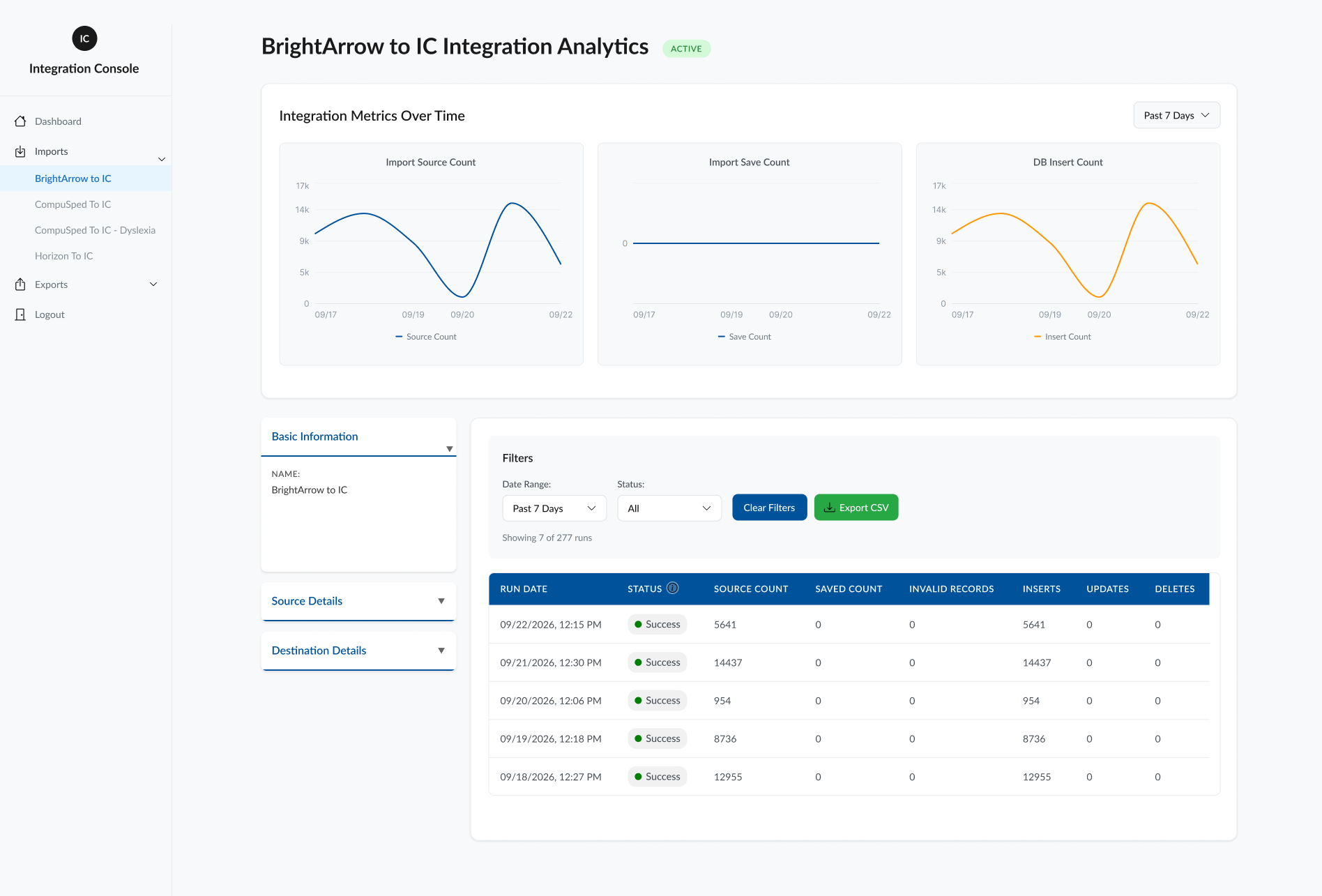
Tap the screenshot to see it full size
How I approached it
Mockups first, then the build.
I scoped the console with the client team and sketched the screens before writing any code. Then I built it in React and Node on SQL Server. The email rules came last, set per integration so every alert means something.
- 01DiscoveryScoped with the client team
- 02MockupsSketched the UI first
- 03BuildReact, Node, SQL Server
- 04Email logicPer-integration daily rules
- 05ShipDeployed internally
The outcome
Bad runs get caught by 8am.
Before the Console, a failed integration only surfaced when someone noticed incorrect or missing data downstream, sometimes days after the fact. Now, failures show up the same morning they happen. Six integrations and 50+ scheduled tasks are monitored in one place, and the team gets a daily email at 8am flagging anything that needs attention. Bad runs get caught before they become data problems.

Start here
Systems failing quietly?
If data moves between your tools and you only find out something broke when the numbers look wrong, I can make it visible.